How to turn an image into a pencil sketch
- Choose an imageA photo, a screenshot or a scan. Portraits, pets and buildings make the most striking sketches.
- Tune the pencilDetail decides how small an edge can be and still become a stroke. Darkness decides how heavy the graphite is, from a light HB to a soft, dark 6B.
- DownloadSave a PNG to share or edit, or a PDF to print on US Letter or A4.
How the sketch effect works
The effect is a well-known recipe from photo editing, done in a few milliseconds. First the image becomes grayscale. Then it is compared with a blurred copy of itself: wherever the two match, as on a smooth cheek or a clear sky, the result is white paper; wherever they differ, at an edge or a strand of hair, it turns into a gray stroke. A tone curve then sets how dark those strokes are, and a little of the original shading is mixed back in so dark hair and shadows keep their weight.
The amount of blur is what the Detail slider controls. Less blur picks up fine edges, like eyelashes and fabric texture; more blur keeps only the bigger shapes. Because it is a fixed recipe rather than a generative model, it never invents features that are not in your image, and the same settings always give the same sketch.
Image to sketch examples
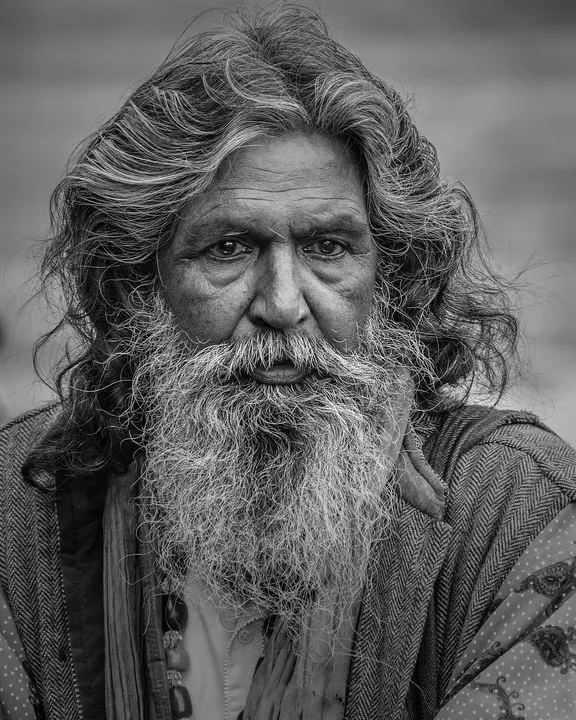
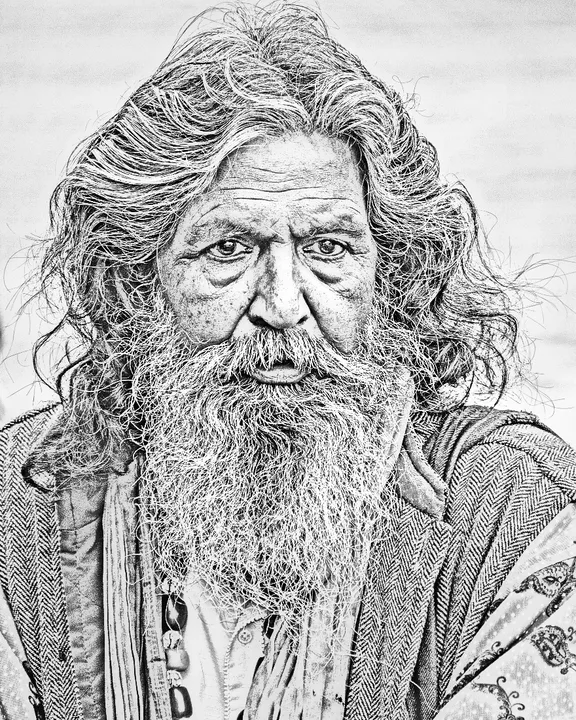
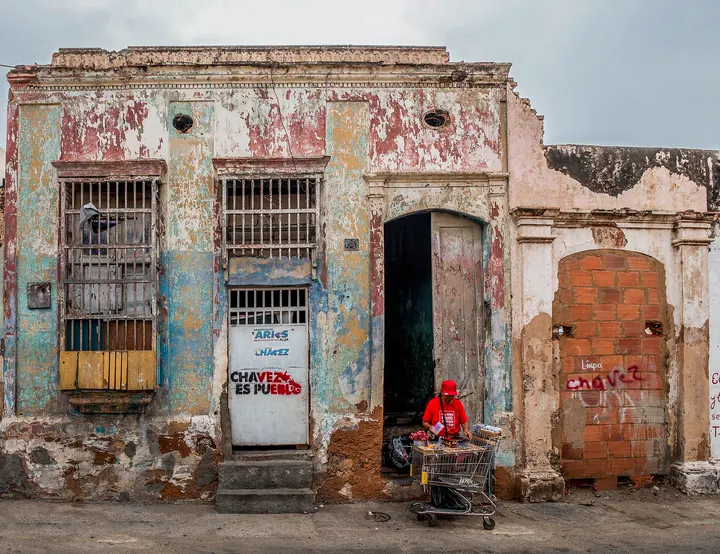
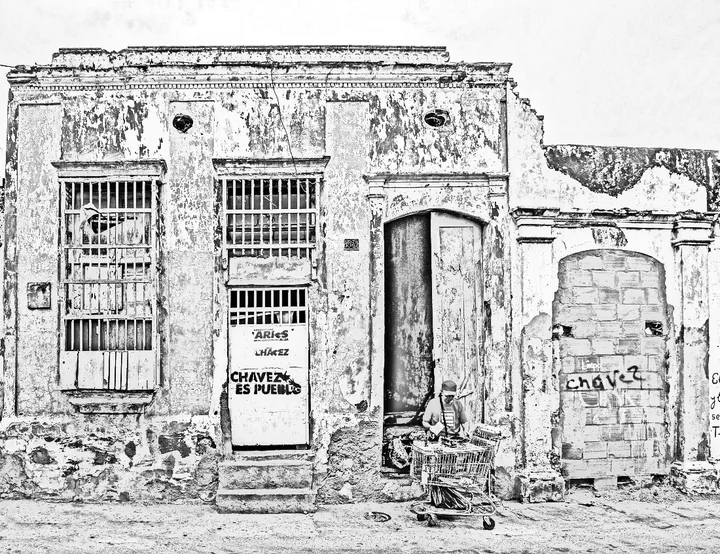
Sample photos from Wikimedia Commons, public domain (CC0): bearded man, old colonial house.


Getting a sketch that looks hand-drawn
- Portraits: side light from a window gives the face shape, which the sketch turns into soft shading. Straight-on flash flattens it.
- Pets: fur becomes beautiful strokes. For a dark animal, raise Detail so the face does not disappear into shadow.
- Buildings: raise Detail to keep window frames and brickwork, and Darkness to make the lines read from across a room.
- Busy backgrounds: crop them out, or lower Detail until the background turns to light texture behind your subject.
- For a cleaner look: try photo to line art, which keeps only the outlines, or the main picture to drawing tool to switch between all three styles.
Questions people ask
How do I convert an image to a sketch?
Choose an image above. The pencil sketch appears in a moment; drag the pencil to compare it with the original, adjust Detail and Darkness, and download a PNG or a printable PDF.
Is the sketch made by AI?
No. The pencil sketch is a classic image filter, so the same image and settings always give exactly the same sketch, instantly and without a model download. The Line art and Coloring page styles do use a small AI model, which also runs on your device.
Why does the background look busy?
The filter turns every edge into a stroke, and grass, leaves or patterned fabric are full of edges. Lower Detail to soften them, or crop the image so the subject fills the frame.
What resolution is the downloaded sketch?
Up to 2,400 pixels on the long side, or the size of your image if it is smaller. That prints sharply on Letter or A4 paper.
Can I get a sketch without the shading, just lines?
Yes: choose the Line art style. It keeps the outlines and drops the tones, which is better for tracing, painting over or stencils.
More free photo-to-drawing tools
- Picture to DrawingAll three styles in one place: sketch, line art and coloring page.
- Turn a Photo into a Coloring PageBold black outlines on white, sized to print on Letter or A4.
- Photo to Line ArtClean AI line drawings with no shading.
- Make a Pet Coloring Page from a PhotoYour dog, cat or bunny as a page to color in.