How to make a coloring page from a photo
- Choose a clear photoOne subject, good light and a simple background give the cleanest outlines. Crop away anything you do not want to color.
- Set it for the person coloringLower Detail for fewer, bigger shapes; raise Line thickness for bolder lines that small hands can stay inside. The table below has starting points.
- Print the PDFDownload the PDF for your paper size and print at 100%. Wide photos turn the page landscape automatically, so the drawing is as big as the paper allows.
Match the detail to who is coloring
A coloring page that is perfect for an adult is frustrating for a four-year-old, and a toddler page bores a ten-year-old. These settings are good starting points; move the sliders while you watch the preview.
| Who | Detail | Line thickness | Why |
|---|---|---|---|
| Ages 3 to 5 | 15 to 30 | 50 to 70 | Few, large shapes with thick borders that are easy to stay inside. |
| Ages 6 to 9 | 35 to 50 | 20 to 40 | Enough features to recognize the subject, with room to color. |
| Ages 10 and up, adults | 55 to 80 | 0 to 15 | Fine lines and texture for colored pencils and fine markers. |
Photos that make great coloring pages
Both pages below were made with the default settings. A clear subject against a plain background, like the puppy and the cat, turns into a page you can color straight away.

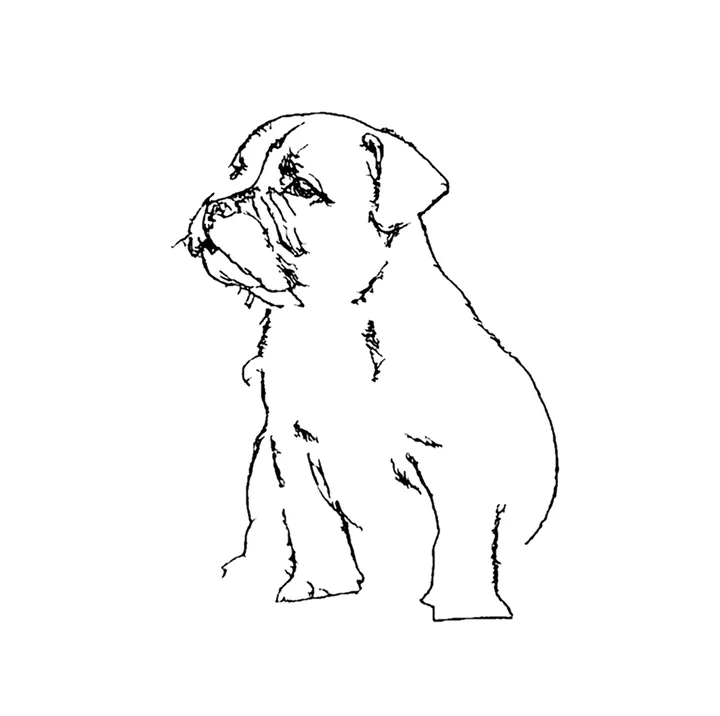

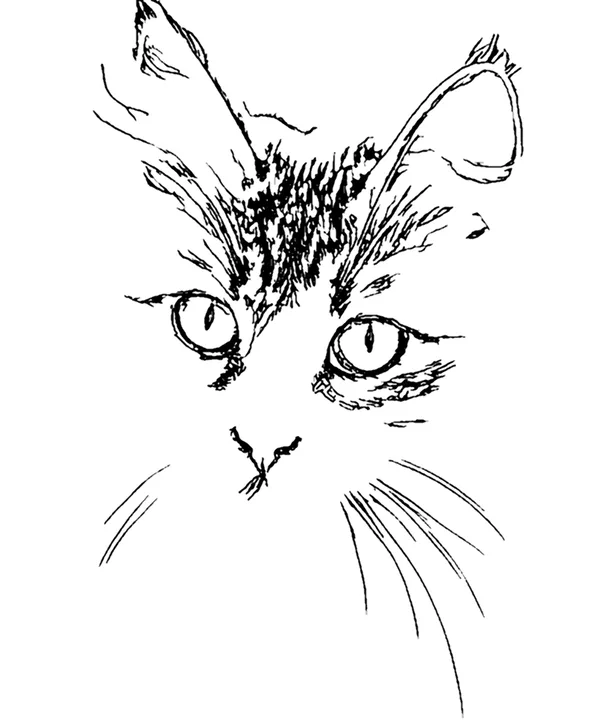
Sample photos from Wikimedia Commons, public domain (CC0): puppy, tabby cat.


Good subjects: pets, a child’s face in close-up, a favorite toy or stuffed animal, the family car, your house, a landmark from a trip, a birthday cake. Harder subjects: crowds, photos taken into the sun, dark rooms, and anything standing in front of grass or leaves, which all turn into lots of little strokes. If you have one of those, crop tighter and lower Detail.
Ideas for personalized coloring pages
- Birthday parties. A page of the birthday child or their pet at every place setting keeps a table of kids busy for twenty minutes.
- Classrooms. A page made from each student’s photo is an easy first-week activity, and nothing has to be uploaded to a third-party site.
- Grandparents. Mail a page of the grandkids and ask them to color it back.
- Travel. Turn holiday photos into pages for the car ride home.
- Pets. There is a guide for pet coloring pages, including how to handle dark fur.
Printing tips
Open the PDF and print it at 100% (sometimes called “actual size”); “fit to page” works too, because the drawing already sits inside half-inch margins. Choose grayscale or black-and-white to save color ink. For markers, heavier paper such as 24 lb or 65 lb cardstock stops bleed-through. If you need the image for a craft program or a classroom slide instead, download the PNG.
Questions people ask
How do I turn a photo into a coloring page?
Choose a photo above, keep the Coloring page style selected, set Detail and Line thickness for whoever will color it, then download the PDF for US Letter or A4 and print it. It takes a few seconds, and the photo is never uploaded.
Is it free to make and print coloring pages?
Yes. There is no account, no limit on how many pages you make and no watermark on the drawing. The PDF has one small line in the bottom margin with our address.
Will the lines be closed, so crayons stay inside?
Mostly. The tool joins strokes that belong together and removes loose specks, but a photo with low contrast can leave small gaps. Raising Line thickness closes most of them; for toddlers, lower Detail as well.
Is it safe to use photos of my children?
Yes. The coloring page is drawn by your own browser, on your own device. The photo is not uploaded to us or anyone else, so it cannot be stored, shared or used to train anything.
Can I make a whole coloring book from several photos?
Not in one step yet; a coloring-book maker that lays out several photos with a cover is next on our list. For now, make each page and print the PDFs together.
What paper should I print on?
Ordinary 20 lb copy paper is fine for crayons and colored pencils. For markers, use heavier paper or cardstock so the ink does not bleed through. Choose black-and-white printing to save color ink.